Press
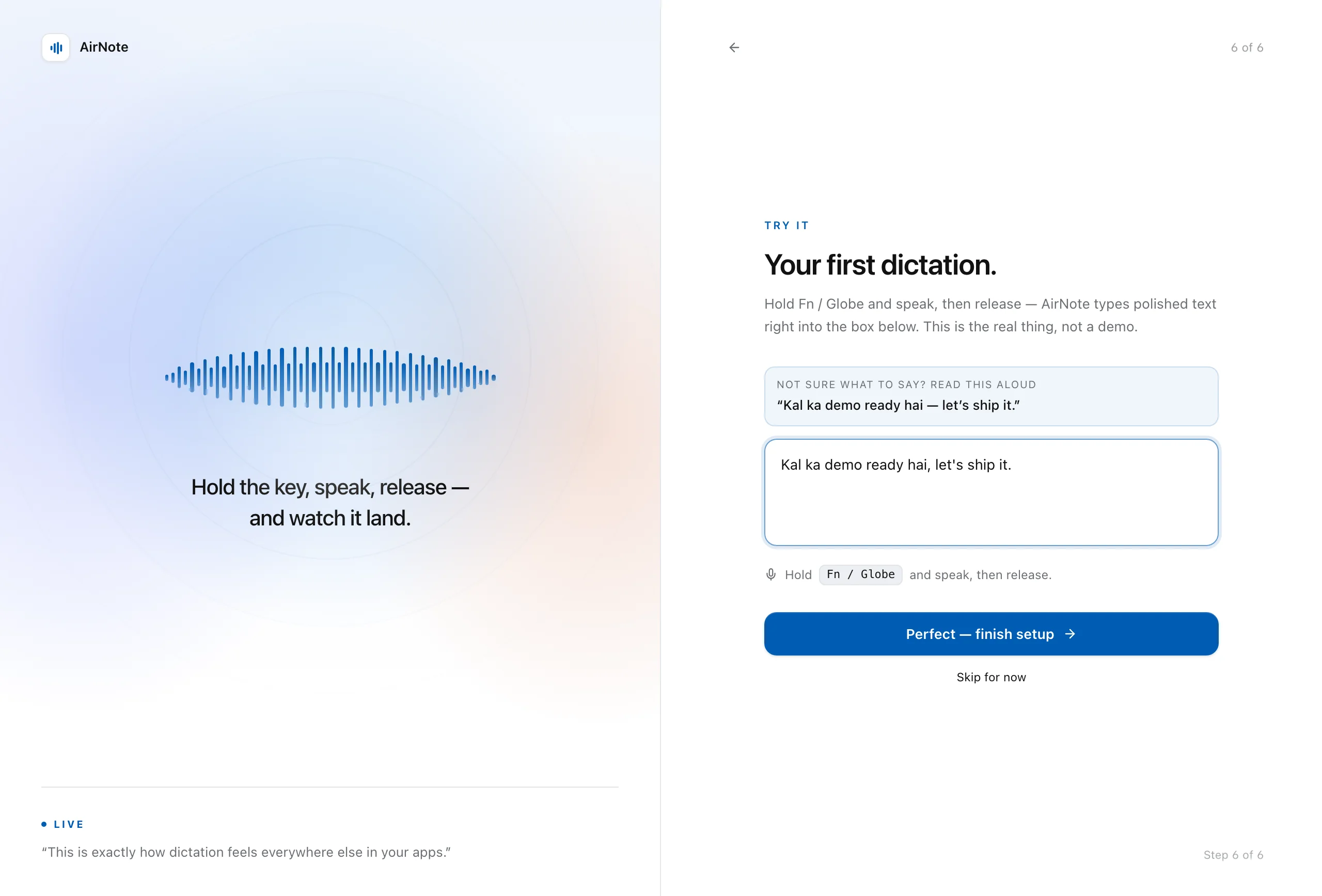
Hold Fn, or any key you choose, and talk. Let go, and it is sent. A small pill on screen shows that AirNote is listening.
- Fn, Caps Lock or any modifier key
- Hold to talk, or tap to start and stop
- Changes apply straight away
 AirNoteVoice dictation for every app
AirNote is EMIAC's own voice dictation app. Press a key, talk in English, Hindi or Hinglish, and polished text is typed wherever your cursor is.
In use at EMIAC today · Version 2.5.0 for Mac · Not available to download
Works wherever you type
AirNote types where your cursor is, so there is nothing to connect. A chat, an email, an issue or a prompt all take dictation the same way.
 SlackReplies and threads, spoken instead of typed.
 LarkChats and docs, in Hindi, English or both at once.
 Microsoft TeamsChat replies without stopping to type.
 LinearIssues and comments, written out loud.
 AsanaTask updates, said in a sentence.
 Gmail and Google DocsEmails and documents at the pace you
speak.
Gmail and Google DocsEmails and documents at the pace you
speak.
 ChatGPTLong prompts, said in one go.
 ClaudeDetailed prompts, without the typing.
 GeminiQuestions in the mix of languages you think in.
 HubSpotNotes on a deal, straight after the call.
 SalesforceAccount notes, while they are still fresh.
 Outlook and WordFormal emails, with polite sign-offs.
How it works
Hold Fn, or any key you choose, and talk. Let go, and it is sent. A small pill on screen shows that AirNote is listening.
Talk the way you talk: English, Hindi, or both in one sentence. On Macs with Apple silicon, Clario C1 turns your speech into text on the Mac itself.
AirNote fixes the punctuation, drops the filler words and applies the words you have taught it. This step runs on a server, so the text leaves your Mac to be polished.
The text is typed where your cursor is, in whatever app you are in, and the pill confirms it. Every dictation is kept in your History.
Built for Hinglish
Say half a sentence in Hindi and the rest in English. AirNote types it the way you would type it yourself: Hinglish in Roman letters, with the English words left in English.
Polish
Polish fixes the punctuation, drops the filler words and applies the words you have taught AirNote. Switch it off, and AirNote types exactly what you said.
The switch and its words are the app's own setting. Try it, and the example follows.
Polish runs on a server, so the transcript text leaves your Mac for this step.
Slack
so um can you move the release notes into the shared doc before the uh 4 pm review
Can you move the release notes into the shared doc before the 4 PM review?
so um can you move the release notes into the shared doc before the uh 4 pm review
Illustration
Learns your words
Fix a name while you dictate and AirNote learns the fix. The next time you say it, it comes out right, in every app.
Working for you
What was heard, what gets typed, and how often. Demo data.
A small pill confirms each new word as AirNote picks it up.
AirNote types what it heard, names and all.
Fix the word, and AirNote learns the fix from your correction.
The fix applies from then on. Add a name, brand or term yourself in Vocabulary, too.
Style per context
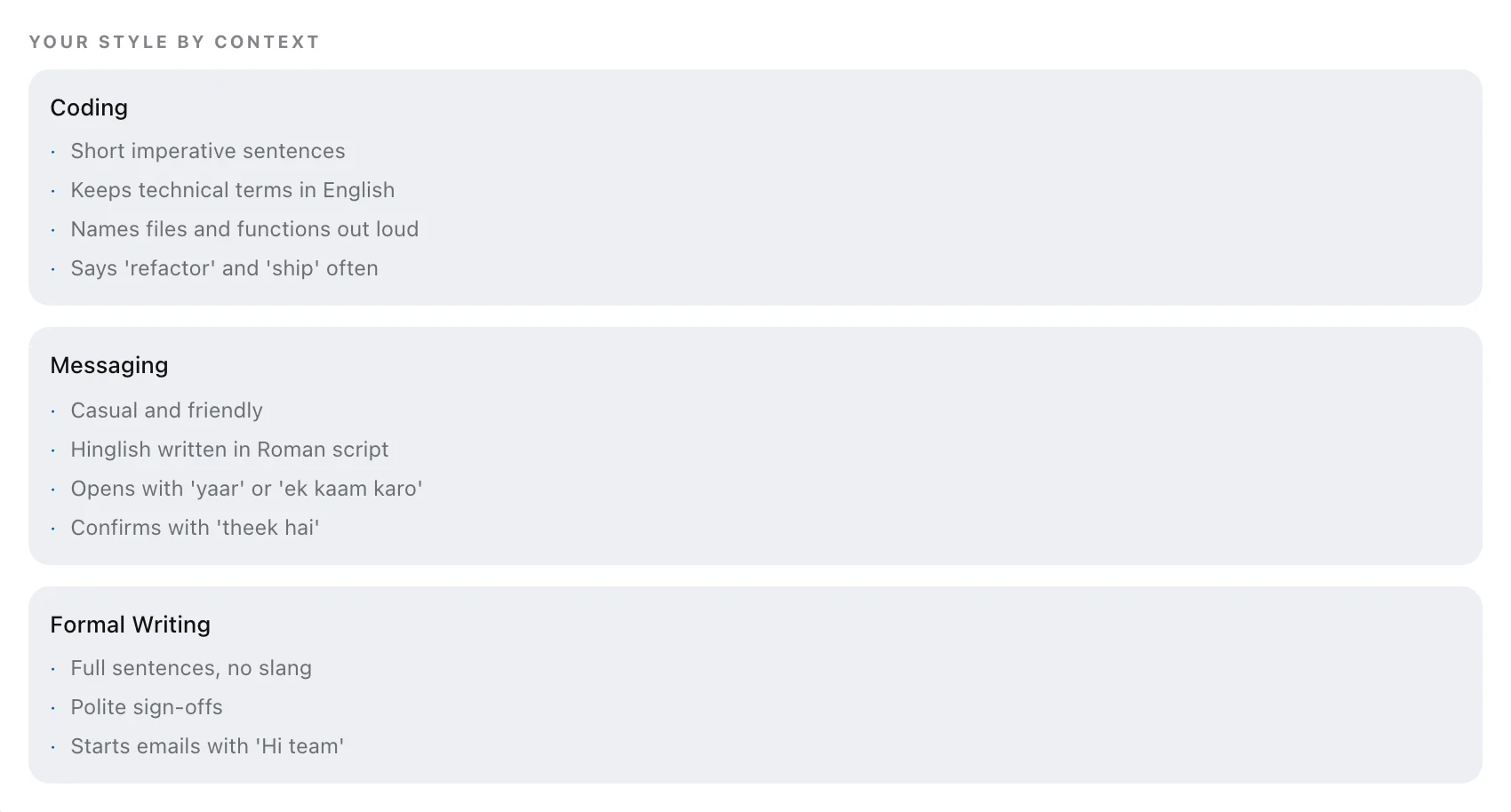
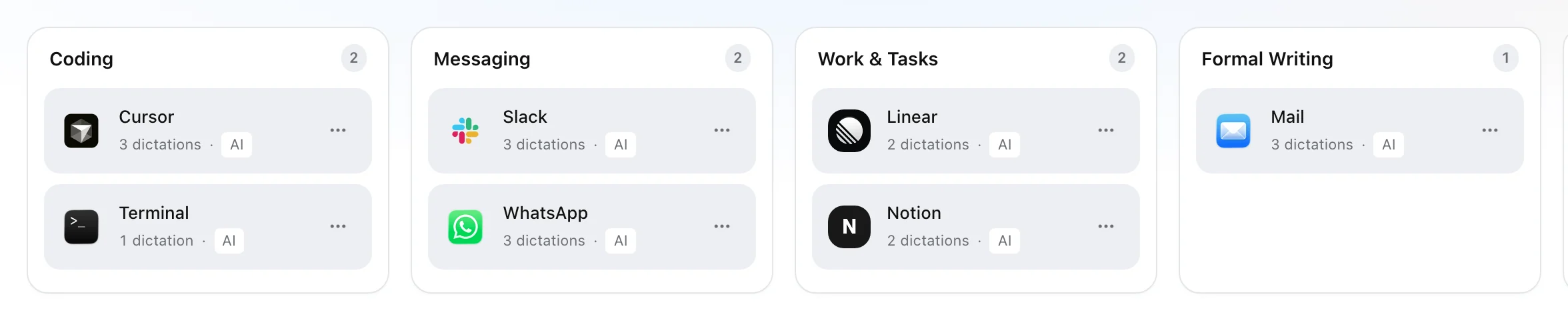
AirNote groups your apps into buckets and learns how you write in each, so the same voice comes out as a terse note in one app and a polite email in another.
Refactor the settings panel so each section loads on its own instead of all at once.
Kal ka demo ready hai, let's ship it.
Hi team, quick update: the beta build is out and the crash on launch is fixed.
Insights
Words dictated, time saved against typing, your speaking pace and your streak, counted for this Mac.
Where your words go
On Macs with Apple silicon, Clario C1 turns your voice into text on the device. Your audio is not stored on the server.
To clean the text up, AirNote sends the transcript to a server. That text leaves your Mac.
Turn it off in settings, and AirNote types exactly what you said.
The text of each dictation is kept on the server with your History, so it is there on every desktop you sign in to. Search, export or clear it.
For a company
In enterprise mode, AirNote runs against an organisation server. People sign in with email or Lark, admins look after workspaces, and the company's words reach every desktop. It is how EMIAC runs AirNote today.
Lark sign-in
Sign-in with LarkIn use
 Clario C1, on the deviceIn use
AirNote is how we show the work rather than describe it: our own app, on our own server, with our own speech model.

AirNote is how EMIAC dictates: on our own server, with Lark sign-in, the company's words on every desktop, and Clario C1 on the Mac.
In use at EMIAC
Reviews
“I answer Slack the way I talk, half Hindi and half English, and it lands the way I would have typed it. I stopped fixing my own messages.”
“My prompts got longer and better. Saying the whole problem out loud is faster than typing half of it.”
“I corrected our client names once each. A month later it still spells every one of them right.”
Not from this site. AirNote is in use at EMIAC, and we show it as an example of what we build. If you want it, or something like it, for your company, contact sales.
On the Mac. On Macs with Apple silicon, Clario C1 turns your speech into text on the device, and by default your audio stays there. The polish step that follows runs on a server, so the transcript text leaves the Mac for it. With polish switched off, AirNote types exactly what you said.
The text: for each dictation, what you said and what was typed, in your History on the server, so it follows you to every desktop you sign in to. Audio is not stored on the server. You can search, export or clear your History at any time.
English, Hindi and Hinglish, the mix of the two in one sentence. Hinglish is typed in Roman script, the way you would type it yourself.
EMIAC's own Hinglish speech model, fine-tuned from Whisper base. In AirNote it runs on the device, on Macs with Apple silicon. More about Clario C1.
Any app where you can type. AirNote types where your cursor is, once macOS has given it the Microphone, Accessibility and Input Monitoring permissions.
macOS 13 or later, on Macs with Apple silicon. The current version is 2.5.0. A Windows version is in beta.
In enterprise mode, AirNote runs against an organisation server. People sign in with email or Lark, workspaces have admin roles, the company's vocabulary is synced to every desktop, and usage is counted for each organisation. That is how EMIAC runs it today.
Want this for your company?
AirNote is one of the things we build and run ourselves. Tell us how your people work, and we will talk through what to build.